
Step 1
Snap a photo of the board
Any board, any angle. Tournament sets, wooden boards, even a book.
Snap any over-the-board position. Get instant analysis with Stockfish and Leela Chess Zero – right on your device.
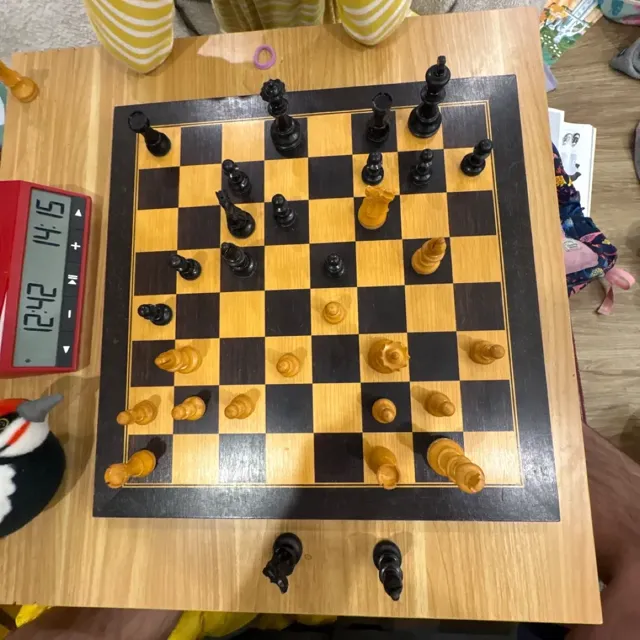
Step 1
Any board, any angle. Tournament sets, wooden boards, even a book.
Step 2
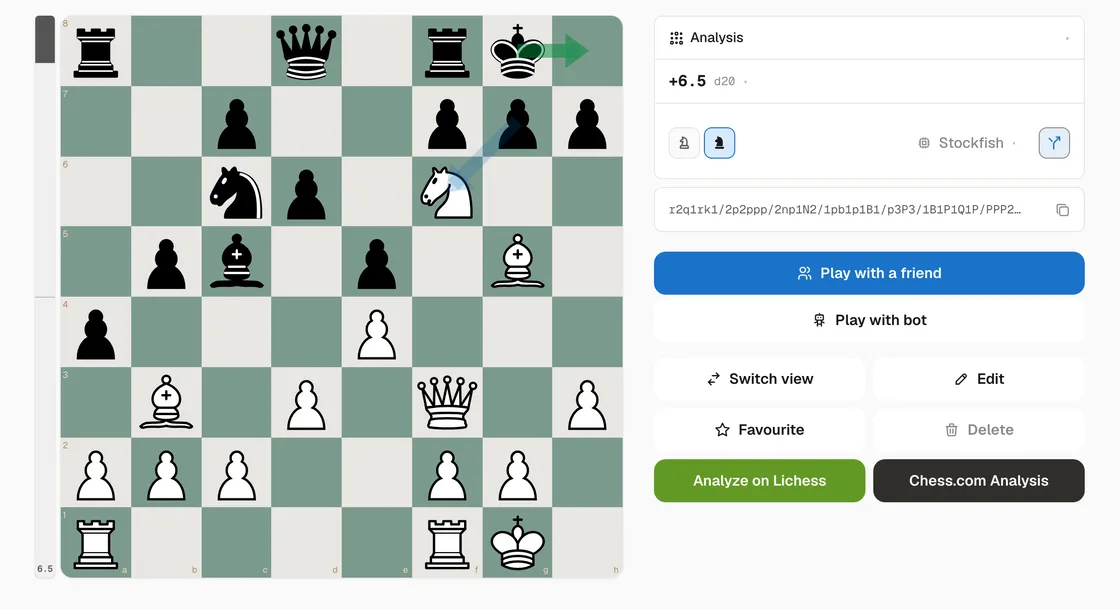
Pieces are recognized in real time. Stockfish analyzes the position right on your device and draws its best moves on the board. How the scanner works.
Step 3
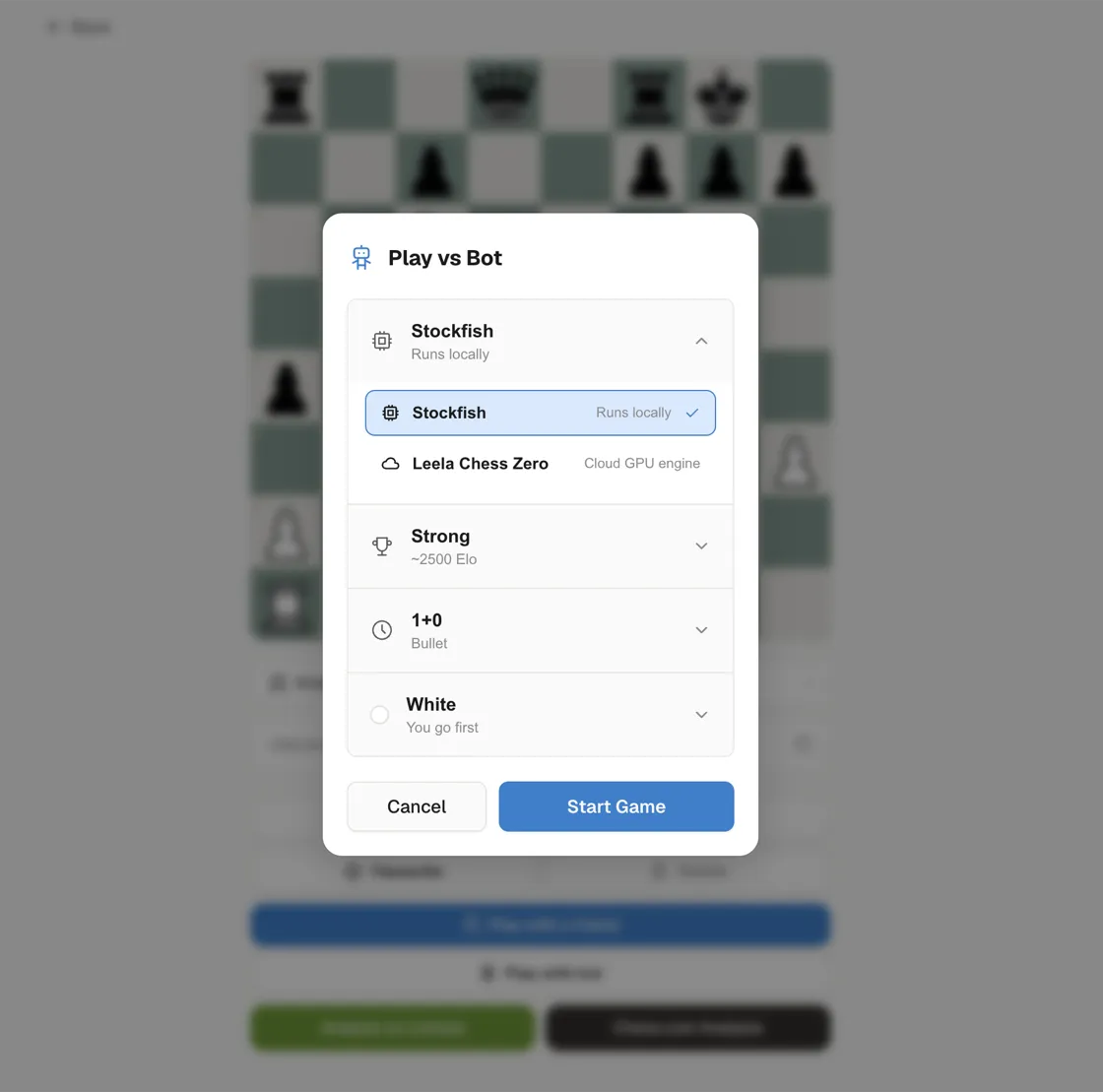
Challenge Stockfish locally or Leela Chess Zero in the cloud – pick your engine, strength, and time control.
Step 4
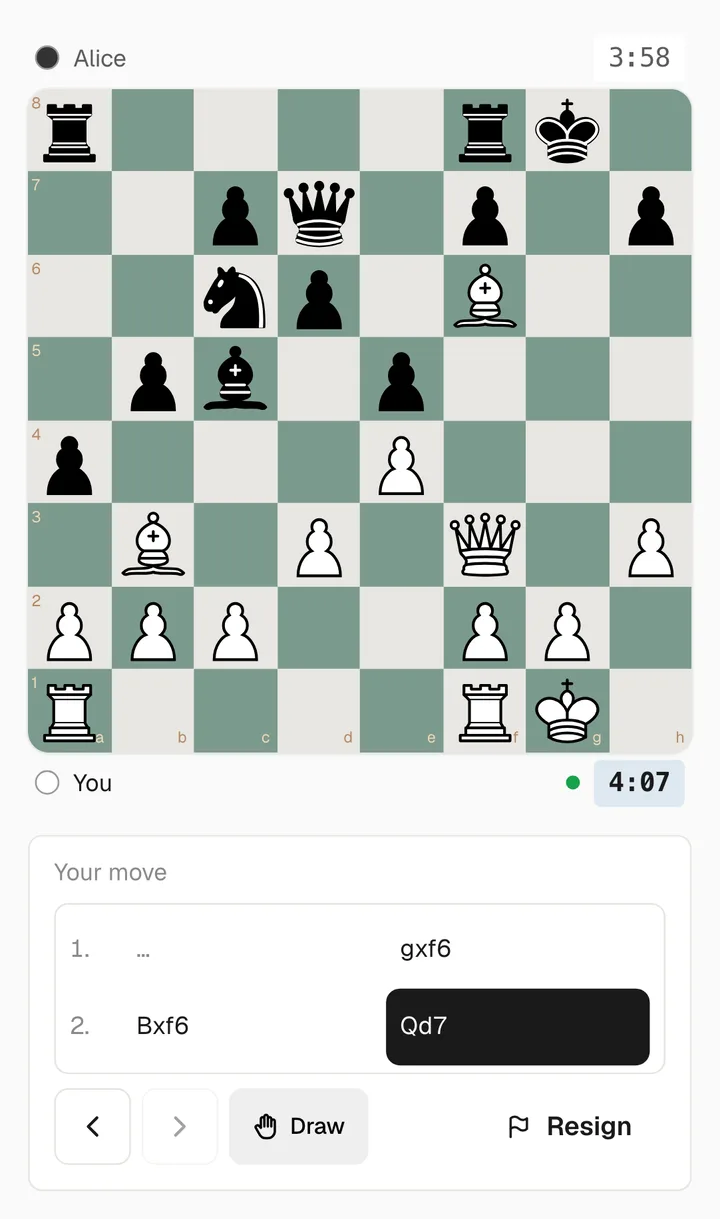
Every scan is saved. Take the position you reached over the board and finish it online with a friend – send an invite link, pick your color and clock.
Four quick ways to play in your browser – no sign-up, nothing to install.
Something else? Email support.
Just snap or upload a photo of the board in your browser. Snap That Piece runs custom machine-learning models, designed to run on mobile devices, that detect the board, warp it to a square, classify each piece, and produce a FEN position instantly.
Yes. Board scanning, engine analysis, and online play are all free with no ads.
No. Snap That Piece runs in any modern web browser on desktop or mobile – just open app.snapthatpiece.com. You can also install it as a Progressive Web App. Stockfish analysis runs on-device in your browser, while Leela Chess Zero (Maia) play runs in the cloud.
Two. Stockfish runs on-device in your browser for analysis and for play at any strength. Leela Chess Zero runs on our servers with Maia networks, which are trained on human games and play like a real opponent, at five levels between 1100 and 2200 Elo.
In the web app the photo is uploaded to our servers to detect the board and identify the pieces, and is kept with your account so you can revisit the result. Images may also be used to improve the recognition models. The iOS app does recognition entirely on-device and uploads nothing unless you opt in. The Privacy Policy at snapthatpiece.com/privacy covers this in full.
Not for anything on snapthatpiece.com – the Chess960 generator, the GM Equal Positions browser, and the Knight and Pawn Race mini-games all run without one. Scanning a board, saving positions, and playing online in the web app need a free account.
No. Snap That Piece is an independent project and is not affiliated with any other chess scanning site or app, including ones with similar names. If you came here looking for a way to turn a photo of a chess board into a position, that is exactly what this does – free, in your browser.
Yes. The Chess960 generator at snapthatpiece.com/chess960 lists all 960 Fischer Random starting positions with copyable FENs, and you can start a game from any of them.
Free. No ads. Instant recognition.